MARVIN
ODIN
TERMINAL
screen
xterm

screen
| shortcut | description |
|---|---|
[CTRL]+a d | detach screen |
[CTRL]+a S | split screen |
[CTRL]+a [TAB] | tab between open screens after split |
[CTRL]+a X | close current splittet screen |
[CTRL]+a " | windowlist |
[CTRL]+a c | create new window |
[CTRL]+a n | switch to next window |
[CTRL]+a [0-9] | switch to window number 0-9 |
[CTRL]+a ? | help |
Here is a good .screenrc for you:
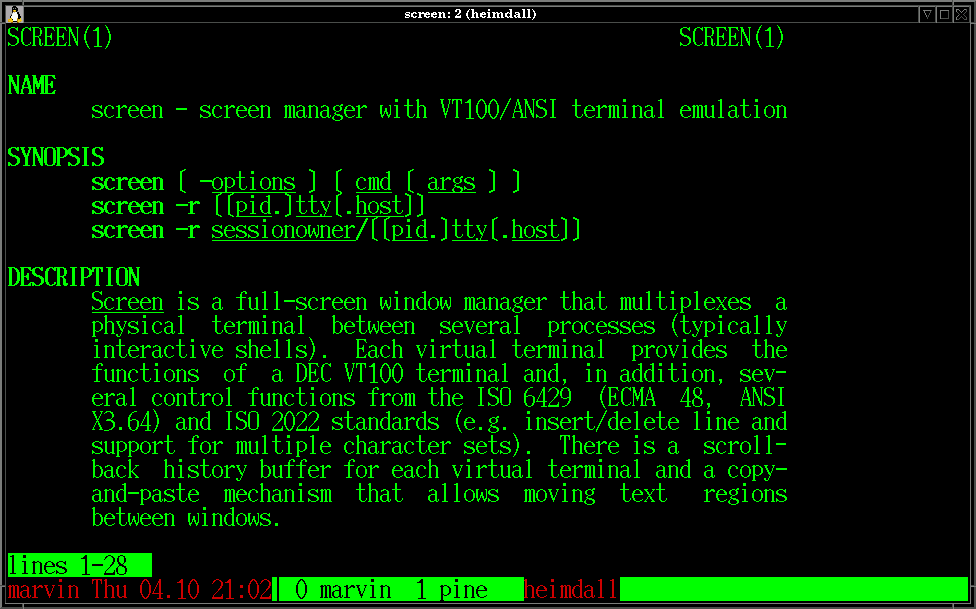
The statusline is made by:
hardstatus off
caption always "%{rk}%H %D %d.%m %c%{-}%{kG}| %-w %{rk}%t%{-} %+w"
|
%{rk} | foreground color red and background color black |
%H | Hostname where screen is running |
%D | Abbreviation of current day of week |
%d.%m | day and month |
%c | clock |
%{kG} | foreground black with light green as background |
%-w | window numbers and names up to the current window |
%{rk}%t%{-} | current window title in red with black background |
%+w | remaining window numbers and names after current window |
xterm
Some entries for your .Xdefaults:xterm*font: 10x20 xterm*font1: 5x7 xterm*font2: 6x10 xterm*font3: 7x13 xterm*font4: 9x15 xterm*font5: 10x20 xterm*font6: 12x24 xterm*background: black xterm*foreground: green xterm*saveLines: 4200 xterm*visualBell: true |
Try [CTRL] plus one of your mouse buttons to get some menus.
Ever wondered how you can get your current working directory in the title of your xterm?
Add this to your /etc/profile:
export PROMPT_COMMAND='if [ "${TERM}" = "xterm" -o "${TERM}" = "rxvt" -o "${TERM}" = "xterm-color" ]; then echo -ne "\033]0;${USER}@${HOSTNAME}: ${PWD}\007" ; fi' |